Why Buy an OLED Monitor? Benefits and Trade-Offs for Gamers

An OLED monitor can improve your gaming experience, with some caveats for multi-use computers.
Gamers are familiar with the limitations of traditional LCD desktop monitors. Dark scenes can look muddy and lack definition, “ghost trails” may appear during fast action sequences, and subtitles or moving cursors can create a halo effect against dark backgrounds.
You can put up with these downsides, but upgrading to an OLED gaming monitor can noticeably improve your gaming experience.
What is an OLED monitor?
OLED (Organic Light-Emitting Diode) technology differs from LCD (Liquid Crystal Display) in several fundamental ways.
An LCD monitor works like a large backlight covered by a layer of liquid crystals. These crystals twist to modulate light and form an image, while red, green, and blue (RGB) filters produce color. Because the backlight stays active even behind dark content, light can bleed through. This is why dark dungeon scenes or nighttime gameplay may show washed-out gray tones where true black is expected.
Modern LCDs reduce this issue by splitting the screen into independently controllable dimming zones. High-end LCDs typically have hundreds of dimming zones, while the Mini-LED displays popular with gamers can feature thousands. More zones improve overall image quality, but a bright object positioned against a dark background inside the same zone can still trigger the halo or blooming effect noted above. OLED operates on a different principle: every pixel emits its own light, so individual pixels can be dimmed or turned completely off. As a result, bright details can appear beside dark areas with much greater clarity.
However, ambient lighting matters for both display technologies. Whether you use LCD or OLED, strong room lighting creates reflections that make black tones appear gray. Keep your viewing environment in mind when evaluating a new monitor.
How OLED can improve your gaming experience.
OLED monitors also deliver upgrades for fast motion and high dynamic range (HDR) gaming. One key metric for all displays, LCD and OLED alike, is Gray-to-Gray (GtG) response time. This measures how quickly pixels shift between different gray shades. A high GtG value leads to visible trailing or ghosting behind moving objects during fast gameplay.
It is important to separate GtG from input lag — the delay between pressing a mouse/keyboard button and seeing the result on screen. OLED has an advantage over LCD because its pixels change state much faster. While LCD GtG is generally measured in milliseconds, OLED GtG can be a fraction of a millisecond.
In practice, this means far less pixel-response blur. That said, OLED and standard LCDs both use sample-and-hold driving. If you still see motion blur on an OLED, it is not caused by slow pixel response; it comes from how long each frame stays visible before the next frame refreshes. PC games rely on rapid sequential frames, similar to film, although video games run at a much faster rate of 60 to 240 frames per second (FPS) compared with film and TV’s 24 to 30 FPS. A higher refresh rate paired with high frame output reduces the sample-and-hold blur perceived by your eyes.
Some OLED monitors include BFI (Black Frame Insertion), a feature that inserts short black frames between regular frames. These black frames are too quickly for most people to consciously detect, but the overall effect makes images appear sharper. The tradeoff of BFI is that it can make an image appear darker, and more sharp-eyed viewers may notice flickering, this varies by panel design and monitor's specifications.
How to judge OLED HDR performance
HDR (High Dynamic Range) expands the range of visible detail between bright highlights and deep shadows. For gaming, think of sunlight glinting off a sword blade, or subtle texture inside a shadowed zombie-filled tunnel. OLED excels at rendering deep blacks, but it still has limitations with bright highlights. Even on OLED, a small intense highlight can make the surrounding image appear dim by comparison.
To evaluate HDR, we distinguish between peak brightness — the maximum brightness a small window of the screen can reach — and full-screen brightness, the brightness measured across the entire display area. Many monitors advertise HDR support on packaging, even if their brightness performance falls short of expectations. A formal HDR certification provides a reliable benchmark.
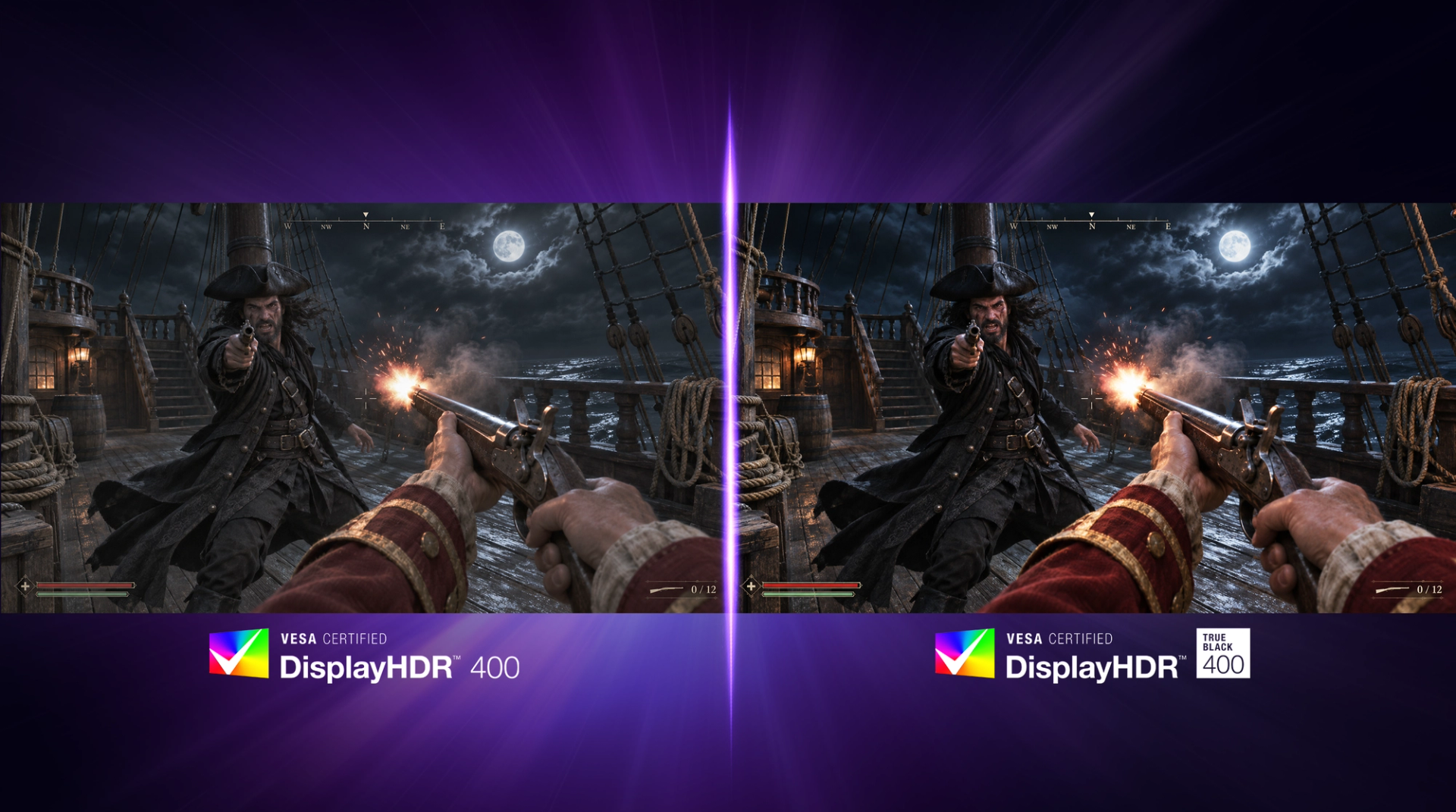
Look for the monitor’s DisplayHDR certification, which is issued by VESA (the Video Electronics Standards Association). A consortium that defines shared display standards. Monitors that pass VESA’s testing may carry the corresponding DisplayHDR logo.
OLED-focused VESA certification is called DisplayHDR True Black, with tiers including 400, 500, 600 and 1000, 1400 (Supported by Samsung Tandem OLED). Each number indicates the tier’s required peak brightness in nits, alongside strict requirements for black level and contrast. True Black specifications prioritize black performance, with more relaxed full-screen brightness targets than standard DisplayHDR. Not every OLED monitor carries VESA certification, and certification applies only to the specific tested model. Also note that an HDR10 label on a spec sheet only means the panel accepts the HDR10 signal format; it does not indicate VESA HDR certification.
When the trade-offs matter
OLED delivers clear gaming benefits, but a lower-cost LCD may still suit some users better. If you’re also using your monitor for reading and work documents, you may prefer LCD technology.
Windows ClearType text smoothing was originally optimized for the RGB stripe subpixel layout of traditional LCD panels. On some OLED panels, especially lower-PPI models with alternative subpixel arrangements, text can look softer. This may be unnoticeable for casual emails, but it can grow distracting during eight-hour work sessions.
OLED panels carry a risk of temporary image retention and permanent burn-in, which occurs when static content leaves a faint permanent mark on the screen. Common causes include static UI bars, spreadsheet grids, or persistent application frames. LCD panels do not suffer from this because all pixels share a common backlight.
An LCD with a Mini-LED backlight may be a better all-around choice if you want to use your monitor for multiple purposes. If you still opt for OLED, modern panels include built-in tools to reduce burn-in risk, additional good practices include using dark mode for applications, lowering brightness when not gaming, auto-hiding the taskbar, and repositioning windows regularly. Always review your monitor’s warranty and user manual for manufacturer guidance on long-term panel care.
Final thoughts
Your choice between LCD and OLED ultimately hinges on your primary use case. OLED is an outstanding pick for gamers, eliminating many common LCD pain points such as muddy shadows and blooming around bright highlights. It also handles fast-paced action better and delivers cleaner motion.
The tradeoff is that OLED needs more care if you use it heavily for office work, and some panels produce softer text. While modern safeguards reduce burn-in risk, permanent panel damage remains a possibility with long-term static content exposure, which could shorten usable lifespan compared to LCD.
LCDs remain dependable multi-purpose displays. Newer Mini-LED backlit models deliver punchy HDR and gaming visuals while retaining strong versatility for everyday productivity. Great options exist for every budget and workflow. The key is to identify your priority: gaming, productivity, or a balanced mix of both.